Turn One Video into a Month of Content Using AI
Creating fresh content every day is unsustainable. The smarter play is to record once and let AI do the repurposing — pulling clips, writing captions, summarizing key points, and formatting for every platform automatically.
 Opus Clip
 Rytrcontent-creatorsmarketers
Try this starter prompt
Copy and paste this into ChatGPT or Claude with your details filled in. It's a simplified version — the full prompt chain is in the app.
You are a content strategist helping me repurpose one long-form video.

My video topic: [TOPIC — e.g. "5 mistakes new freelancers make"]
Target platform: [WHERE WILL CLIPS GO? e.g. TikTok, Instagram Reels, LinkedIn]
Audience: [WHO WATCHES — e.g. "early-career freelancers aged 25–35"]

Give me:
1. 5 clip hook suggestions (first 3 seconds, max 15 words each)
2. A 150-word LinkedIn caption for the full video
3. 3 email subject lines for a newsletter teaser

→ Get the full repurposing system + Opus Clip workflow in AI School
How it works
- 1
Record or select your best-performing long-form video
- 2
Run it through Opus Clip to auto-generate the top clip segments
- 3
Use AI to write platform-native captions, titles, and newsletter teasers
- 4
Schedule across platforms with one week of content from one recording
What you'll build in the app
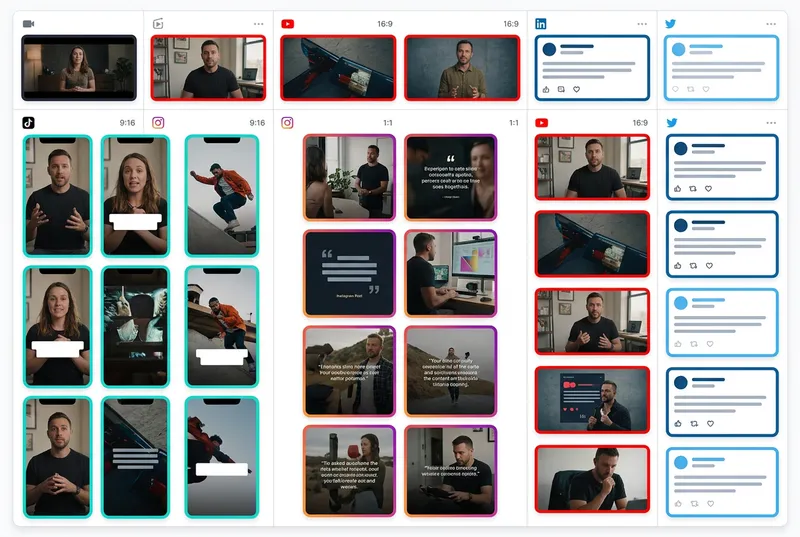
Get the full one-video-to-twenty-pieces system — Opus Clip settings, caption prompts, and weekly scheduling workflow — inside AI School.
Want the full course?
Turn One Video into a Month of Content Using AI
Get the full one-video-to-twenty-pieces system — Opus Clip settings, caption prompts, and weekly scheduling workflow — inside AI School.
Download on the App Store
 ChatGPT
 Claude
 Descript
 InVideo AI
 Midjourney