Turn Any Set of Documents into a Research Brain with NotebookLM
NotebookLM is different from ChatGPT or Perplexity. You give it your own documents — PDFs, research papers, transcripts — and it answers questions exclusively from that material, with citations to the exact source. Zero hallucination risk when your sources are right.
 NotebookLM
 Claude
 ChatGPTfoundersmarketersfreelancers
Try this starter prompt
Copy and paste this into ChatGPT or Claude with your details filled in. It's a simplified version — the full prompt chain is in the app.
Help me set up a NotebookLM research project effectively.

Project: [WHAT YOU'RE RESEARCHING — e.g. "competitive analysis for our Q3 product launch"]
Documents I have: [LIST THEM — e.g. "3 competitor whitepapers, our user interview transcripts, market reports"]
Key question I need answered: [THE MAIN QUESTION you need the research to answer]

Design a NotebookLM setup:
1. How to organize my sources for best query results
2. 3 starting questions to ask NotebookLM to get oriented in the material
3. How to use the AI overview vs. direct citations for different parts of my analysis

→ Get the full NotebookLM research workflow in AI School
How it works
- 1
Upload 5-10 key documents to a new NotebookLM notebook
- 2
Start with the 3 orienting questions from the prompt above
- 3
Ask specific comparison questions across sources and check the citations
- 4
Export your synthesis and cross-check key claims with Perplexity for recency
What you'll build in the app
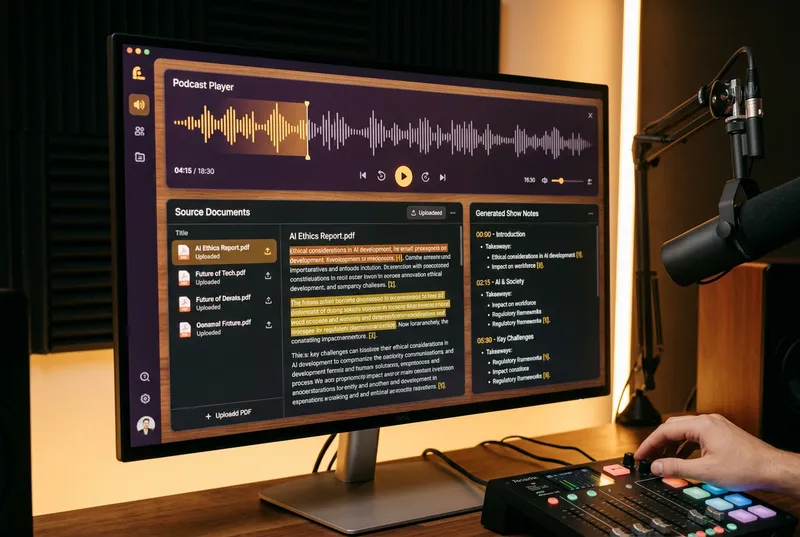
Get the full NotebookLM research workflow — source organization, query strategies, and citation verification guide — inside AI School.
Want the full course?
Turn Any Set of Documents into a Research Brain with NotebookLM
Get the full NotebookLM research workflow — source organization, query strategies, and citation verification guide — inside AI School.
Download on the App Store
 Gemini
 Perplexity